 Smart
SmartNZ-based forex traders have fewer platform choices than their counterparts in London or Sydney, and the ones available each carry trade-offs that broker marketing conveniently omits. MetaTrader has two decades of momentum but a charting experience that shows its age. cTrader offers institutional-grade transparency but through a narrower set of NZ-accessible brokers. TradingView has reinvented charting but is still maturing as an execution environment. What matters most is not which platform has the best feature list — it is which one fits how you actually trade.
The NZ Regulatory Landscape Shapes Your Choices
FMA Registration and What It Actually Protects
The Financial Markets Authority regulates forex trading in New Zealand through the Derivatives Issuer Licence framework. Any entity offering leveraged forex products to NZ retail clients needs either an FMA derivatives issuer licence or to operate under an exemption. This is not optional compliance — it is the legal baseline for operating in the NZ market.
What does FMA regulation actually provide? Client money segregation is the most tangible protection. Licensed brokers must hold client funds in segregated trust accounts, separate from the broker operating capital. If the broker goes under, your trading funds are not available to creditors. The FMA also requires disclosure of risks, fair dealing conduct, and regular financial reporting.
What FMA regulation does not provide: any guarantee against trading losses, assurance that the broker will remain solvent, or compensation scheme equivalent to the UK FSCS or Australian ICR. New Zealand has no investor compensation fund for derivatives. If your FMA-regulated broker collapses and the segregated funds are somehow insufficient, there is no government backstop. Understanding this gap is important for NZ traders sizing their broker deposits — holding more capital with a broker than you actively need for margin is an uncompensated risk, regulated or not.
Why Some International Platforms Cannot Onboard NZ Residents
Some well-known international brokers simply do not accept NZ residents. This is not because trading with them would be illegal for the individual — there is no NZ law criminalising the act of opening an account with an overseas broker. Rather, the broker has made a commercial decision that the cost of NZ regulatory compliance does not justify the revenue from a market of five million people.
The practical effect is that NZ traders have a narrower broker selection than traders in the UK, Australia, or Singapore. This particularly affects access to specialist platforms — a broker that offers excellent futures integration or options trading might not have bothered with NZ onboarding. The workaround some traders use is ASIC-regulated Australian brokers, many of which accept NZ clients through passporting arrangements or through their NZ subsidiaries.
Using an unregulated offshore broker is technically possible but removes every protection the FMA framework provides. No client money segregation requirements, no conduct obligations, no regulatory recourse if something goes wrong. The spread might be tighter and the leverage higher, but the counterparty risk is entirely on you. For traders with meaningful capital, the saving on spreads rarely justifies the exposure to an unregulated entity in a jurisdiction you have no practical legal access to.
MetaTrader 4 and 5: The Industry Default
What MT4 and MT5 Get Right After Two Decades
MetaTrader 4 launched in 2005 and remains the most widely used retail forex platform in the world. MT5 followed in 2010 with expanded capabilities but has never fully displaced its predecessor. Both are offered by virtually every broker accessible to NZ traders, which is their single greatest practical advantage — if you learn MT4, you can switch brokers without relearning your tools.
The Expert Advisor ecosystem is genuinely useful. MQL4 and MQL5 are mature programming languages with extensive documentation, and the community has produced thousands of indicators and automated strategies. The backtesting engine, while not perfect, allows systematic traders to test ideas against historical data without needing external software. For traders who want to automate, the MetaTrader environment has the deepest pool of resources and the lowest barrier to entry.
Execution reliability is a solved problem at this point. Twenty years of deployment across thousands of brokers means the edge cases have been found and fixed. Order types work as expected, the platform handles reconnections gracefully, and the resource footprint is modest enough to run on almost any hardware. MT4 in particular is stable to the point of being boring, which is exactly what you want from the software sitting between you and the market.
The Age Shows: Where MetaTrader Falls Short
MetaTrader charting capabilities are functional but outdated by modern standards. The built-in indicators cover the basics — moving averages, RSI, MACD, Bollinger Bands — but the charting interface itself feels constrained. Drawing tools are clunky, multi-timeframe analysis requires opening separate chart windows, and the colour palette defaults look like they were chosen by committee in 2004.
The Mac situation deserves mention because it affects a meaningful segment of NZ traders. MetaTrader does not have a native macOS application. The “Mac version” offered by most brokers runs through Wine, a Windows compatibility layer. It works, mostly, but it is not native software — performance quirks, display scaling issues, and occasional crashes are par for the course. Apple Silicon Macs have improved Wine compatibility, but the experience still falls short of running the platform on Windows.
MetaQuotes, the company behind MetaTrader, has restricted new MT4 broker licences in an effort to push the market towards MT5. This means new brokers entering the NZ market are increasingly offering MT5 only, while established brokers maintain their existing MT4 infrastructure. MT5 adds features — more timeframes, more order types, a built-in economic calendar — but it also breaks backward compatibility with MT4 Expert Advisors, which is why adoption has been slow. If you have a library of MT4 custom indicators and EAs, switching to MT5 means rebuilding them.
cTrader: The Platform Most Traders Have Not Tried
Design Philosophy and Execution Model
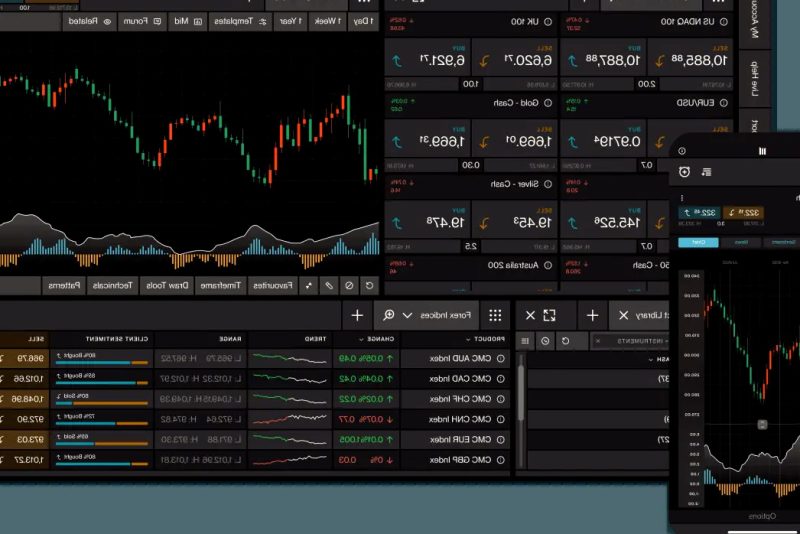
cTrader was built by Spotware as a direct challenge to MetaTrader dominance, and the design philosophy is evident from the first login. The interface is cleaner, the charting is more responsive, and the depth of market display is built into the core experience rather than bolted on as an afterthought.
The depth of market window shows live Level II pricing — the available liquidity at each price level above and below the current market. For traders who care about execution quality and want to see where large orders are sitting, this transparency is genuinely valuable. Combined with ECN connectivity available through some brokers, cTrader provides a more institutional-grade experience than MetaTrader, which was designed primarily for the dealing desk broker model.
cAlgo, now integrated into the platform as cTrader Automate, uses C# for automated strategy development. For traders with programming experience, C# is a more capable and modern language than MQL. The backtesting engine is faster than MetaTrader, and the visual strategy builder allows basic automation without writing code. The trade-off is a smaller community — you will find fewer pre-built indicators and strategies for cTrader than for MetaTrader, which means more do-it-yourself work.
The Broker Availability Problem for NZ Traders
The practical limitation for NZ-based traders considering cTrader is broker availability. The list of FMA-regulated or ASIC-regulated brokers offering cTrader to NZ clients is shorter than the equivalent MT4/MT5 list. Pepperstone and IC Markets both offer cTrader alongside MetaTrader, and FP Markets provides it through their ASIC-regulated entity, but beyond that the options thin out.
This matters more than it might seem. Broker choice is not just about which platform you prefer — it determines your spread costs, swap rates, deposit and withdrawal options, and regulatory protections. If cTrader is only available through two or three brokers accessible to NZ residents, you are effectively choosing your broker based on platform preference rather than evaluating brokers on their own merits. That can lead to suboptimal outcomes on the factors that actually affect your bottom line.
The portability question is also worth considering. If you build custom cAlgo strategies and later want to switch brokers, your options are limited to other cTrader-offering brokers. With MetaTrader, a broker switch means reinstalling your EAs and indicators on a new instance of the same platform — a minor inconvenience. With cTrader, a switch to a non-cTrader broker means rebuilding your entire workflow from scratch. Platform lock-in is less discussed than it should be.
TradingView: Charting First, Trading Second
Why the Charting Is in a Different League
TradingView has fundamentally raised the standard for what charting software should look like and how it should behave. The browser-based platform renders clean, responsive charts that synchronise across devices without manual configuration. Pine Script, the built-in scripting language, allows custom indicator development with a gentler learning curve than MQL or C#. And the indicator library — community-contributed scripts numbering in the tens of thousands — means someone has probably already built what you are looking for.
Multi-chart layouts are handled elegantly, with configurable grids that make multi-timeframe and multi-pair analysis practical on a single screen. The alert system supports price, indicator, and custom condition triggers with delivery via email, app notification, or webhook. For NZD traders monitoring multiple pairs, setting alerts on key technical levels across NZD/USD, NZD/AUD, and NZD/JPY simultaneously is straightforward.
The free tier is genuinely usable but limited to one chart layout, three indicators per chart, and basic alert functionality. The paid tiers (Pro, Pro+, Premium) progressively unlock more charts, indicators, and alerts. For serious use, a paid subscription is effectively mandatory — the free version is a trial rather than a tool. Whether that cost is justified depends on how central charting is to your trading process, but for technical analysis-driven traders, the answer is almost always yes.
Trading Through TradingView: The Broker Integration Angle
TradingView has expanded beyond pure charting into execution territory through broker integrations. You can connect a supported broker account and place trades directly from the chart — clicking to set entries, stops, and targets without switching applications. The integration is functional and the visual order management is intuitive.
The broker integration list for NZ-accessible traders is limited but growing. Pepperstone, OANDA, and a handful of others support the TradingView connection. The execution experience through this integration is adequate for swing trading and position management but lacks the order complexity and speed that dedicated platforms offer. You will not find the same depth of order types or the millisecond execution monitoring available in MT5 or cTrader.
The result is that many NZD traders settle into a two-platform workflow: TradingView for analysis and charting, and MetaTrader or cTrader for execution. This sounds inefficient, but in practice it plays to each platform strengths. TradingView is better at helping you decide what to trade. MetaTrader and cTrader are better at executing the trade. The friction of switching between applications is minor compared to the compromise of using an inferior tool for either task. If the broker integration continues to mature, a single-platform workflow through TradingView may eventually be viable. It is not quite there yet.
Mobile Trading: What Works on a Phone and What Does Not
Comparing Mobile Experiences Across Platforms
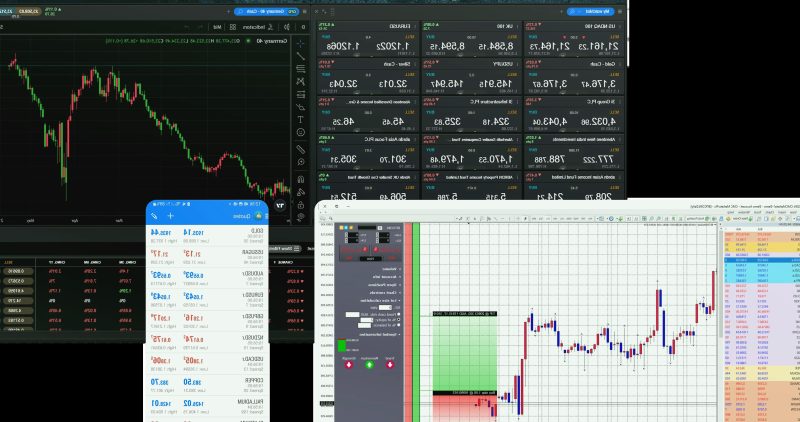
TradingView mobile is the strongest of the three for charting. The app mirrors the desktop experience more faithfully than competitors, with functional multi-chart views, full indicator access, and proper touch gesture support for drawing tools. If your primary mobile need is reviewing charts and managing alerts, TradingView handles it well.
cTrader mobile is the best overall trading application. The interface translates to mobile without feeling cramped, depth of market is accessible, and the order entry is precise enough for traders who need to manage positions on the move. The chart-to-trade workflow is cohesive in a way that MT4/MT5 mobile does not achieve.
MetaTrader mobile is functional but spartan. Charts display correctly, you can place and modify orders, and push notifications from the desktop platform come through reliably. But the charting is limited, drawing tools are imprecise on touch screens, and the interface has not evolved significantly in years. It does the job if the job is checking positions and adjusting stops. It does not do the job if you are trying to conduct analysis from your phone.
The Case Against Trading on Your Phone
Mobile trading is useful. It is also dangerous in a way that platform marketing will never acknowledge. The ability to check positions, adjust stops, and receive alerts while away from the desk is genuinely valuable for risk management. Being notified that NZD/USD has hit your alert level while you are at lunch lets you make a considered decision about what to do next.
The danger lies in what mobile access enables beyond monitoring. A phone screen compresses chart data, making patterns appear more defined than they are on a full display. Touch interfaces make it easy to fat-finger an order size or place a stop at the wrong level. And the sheer accessibility — the market is always in your pocket — creates a temptation to act on impulse that a desktop-only workflow would filter out.
The practical test is simple: has a trade you entered from your phone ever performed as well as one you planned from your desk? For most traders, the honest answer highlights the problem. Mobile access is a risk management tool. Using it as an analysis and entry tool introduces errors that compound over time. The best use of mobile trading is knowing what you would do before looking at your phone, and then using the phone only to execute a decision you already made.
Choosing a Platform: What Actually Matters
Matching Platform to Trading Style
Platform selection should follow trading style, not marketing or forum recommendations. The mismatch between platform and strategy is a persistent source of friction for NZ traders who chose their platform based on whatever their first broker offered rather than what actually suits their approach.
Scalpers and short-term traders need fast execution and transparent pricing. cTrader with an ECN broker, or MT5 with a broker offering raw spread accounts, provides the execution speed and Level II pricing that short-term strategies depend on. Paying a commission on each trade for a tighter spread is almost always better economics than a commission-free account with a marked-up spread for anyone trading frequently.
Swing traders and position traders need strong charting, reliable alerts, and stable order management over days or weeks. TradingView for analysis combined with MT4 or MT5 for execution handles this well. The execution platform matters less when you are entering two or three trades per week — speed in milliseconds is irrelevant when your holding period is measured in days.
Automated strategy traders need a capable development environment and reliable backtesting. MT4/MT5 has the largest community and lowest barrier to entry through MQL. cTrader cAlgo offers more sophisticated programming through C# but with fewer community resources. The choice depends on your programming background and how complex your strategies are.
The Broker Matters More Than the Platform
A polished platform running on top of a poorly regulated broker with wide spreads and opaque execution is a bad trade. The platform is the interface; the broker is the counterparty. Confusing the two is a common and costly mistake.
The evaluation checklist for NZ traders starts with regulation. FMA-licensed is the gold standard for NZ-based entities. ASIC-regulated Australian brokers serving NZ clients through proper licensing arrangements are the next tier. Beyond that, you are accepting counterparty risk that no platform feature can offset. Client money segregation should be confirmed, not assumed — check the broker financial services register entry, not their marketing page.
Execution quality — the actual spread you pay, the slippage you experience, and the speed at which orders fill — varies meaningfully between brokers offering the same platform. Two brokers both offering MT5 can have completely different trading costs. Request a demo account from any broker you are considering and place trades during the NZ session and the London-New York overlap to compare execution across liquidity conditions.
NZD-specific factors deserve attention: can you deposit and withdraw in NZD without conversion fees? Are the spreads on NZD pairs competitive, or does the broker optimise for EUR/USD and treat NZD as a secondary offering? Does the broker offer the specific NZD crosses you trade, or only the majors? These practical details affect your annual trading costs more than whether your charting software has 50 or 100 built-in indicators.
Platform discussions generate strong opinions online, but the honest reality is that the differences between MT4, MT5, cTrader, and TradingView matter less than the broker underneath them. Get the broker right — regulation, execution quality, NZD pair spreads, client fund safety — and the platform choice becomes a matter of preference rather than performance. The best platform is the one that stays out of your way while you trade.